Jobs
Immich performs most of its work in background jobs, each with its own queue. The queues are visible at Administration > Job Queues, where they can be watched and manually triggered.
Jobs run on the microservices worker, and each queue is processed in order. The Actions listed for each job are defined under Running a job manually.
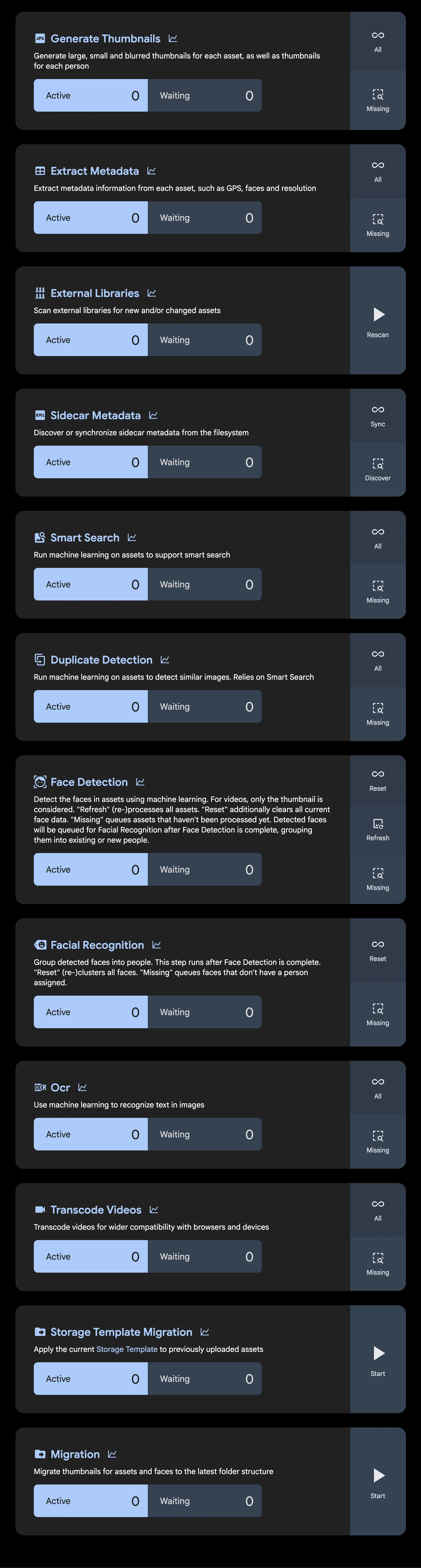
Extract metadata
Reads metadata from each asset — date, GPS, camera, dimensions, faces, and tags. See EXIF tags for every tag involved and which feature each one drives.
Actions: All, Missing
Generate Thumbnails
Generates large, small, and blurred thumbnails for each asset, as well as a thumbnail for each person.
Actions: All, Missing
Transcode videos
Transcodes videos for wider compatibility with browsers and devices, according to the transcode policy in the video transcoding settings. The original file is never replaced.
Actions: All, Missing
Smart Search
Runs the CLIP model over each asset to produce the embeddings that power contextual search.
Actions: All, Missing — requires machine learning to be enabled
Face detection
Detects the faces in assets using machine learning. For videos, only the thumbnail is considered. Detected faces are queued for Facial Recognition once detection completes.
Actions: Reset, Refresh, Missing — requires machine learning to be enabled
Facial Recognition
Groups detected faces into people. This step runs after Face detection is complete. See Facial recognition for how the clustering works.
Actions: Reset, Missing — requires machine learning to be enabled
OCR
Uses machine learning to recognize text in images so that it can be searched.
Actions: All, Missing — requires machine learning to be enabled
Duplicate Detection
Detects visually similar assets. Relies on the embeddings produced by Smart Search. See Duplicate detection.
Actions: All, Missing — requires machine learning to be enabled
Sidecar metadata
Discovers and synchronizes XMP sidecar files on the filesystem. The same queue runs Sidecar Write, which writes edited metadata back out to the sidecar.
Actions: Sync, Discover
External Libraries
Scans external libraries for new and changed assets, and cleans up libraries that are stuck in deletion.
Actions: Rescan
Storage template migration
Moves existing files to match the current storage template. Only needed after changing the template; new assets are placed correctly on upload.
Actions: Start
Migration
Moves thumbnails for assets and faces to the latest folder structure.
Actions: Start
Processing order
Jobs are queued in a fixed order, with later jobs depending on the output of earlier ones. Uploading an asset runs the following:
Thumbnail generation is the fan-out point: Smart Search, Face detection, OCR, and video transcoding all wait for it, because they operate on the generated preview rather than the original. Duplicate Detection then depends on Smart Search, and Facial Recognition on Face detection.
Running a job manually
Each queue offers some combination of the following actions:
| Action | Effect |
|---|---|
| All | Queues every asset, reprocessing assets that already have a result. |
| Missing | Queues only assets that have not been processed yet. |
| Refresh | Reprocesses all assets without discarding existing data first. |
| Reset | Clears existing results and reprocesses everything. |
| Sync / Discover | Synchronizes metadata from known sidecar files, or discovers new sidecar files. |
| Rescan | Rescans external libraries for changes. |
| Start | Begins a one-off migration. |
Resetting face data is destructive — it discards all detected faces, and people have to be rebuilt by Facial Recognition.
Concurrency
Each job's concurrency is set independently at Administration > Settings > Job Settings, and the defaults are listed under job in the config file reference. Video transcoding and the machine learning jobs are the most resource-intensive, which is why their defaults are lower than the rest.
Jobs configured elsewhere
Some scheduled work does not appear on the Job Queues page:
-
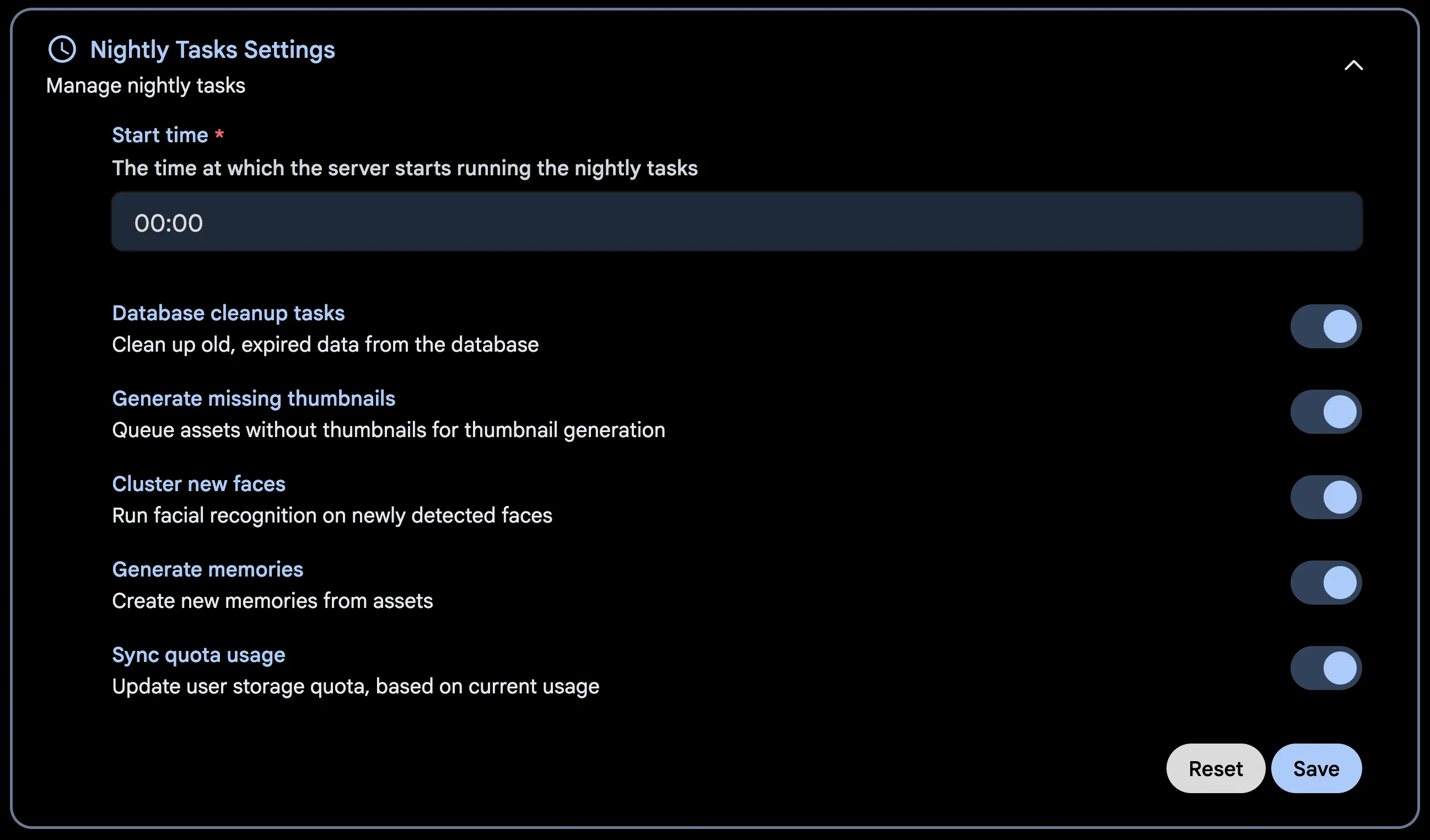
Nightly tasks — memory generation, database cleanup, missing thumbnails, and face clustering. These run every night at midnight by default; the schedule and which tasks run are set under Nightly Tasks Settings.
-
Database backups — see Backups.
-
External library scanning — the periodic scan interval is configured per library, not on the queue page.
-
Integrity checks — see System Integrity.