Share photos and albums
Immich supports sharing albums and partner libraries with users on the same instance, and public links for people without an account. For how the three differ, see Sharing.
Local sharing
Albums
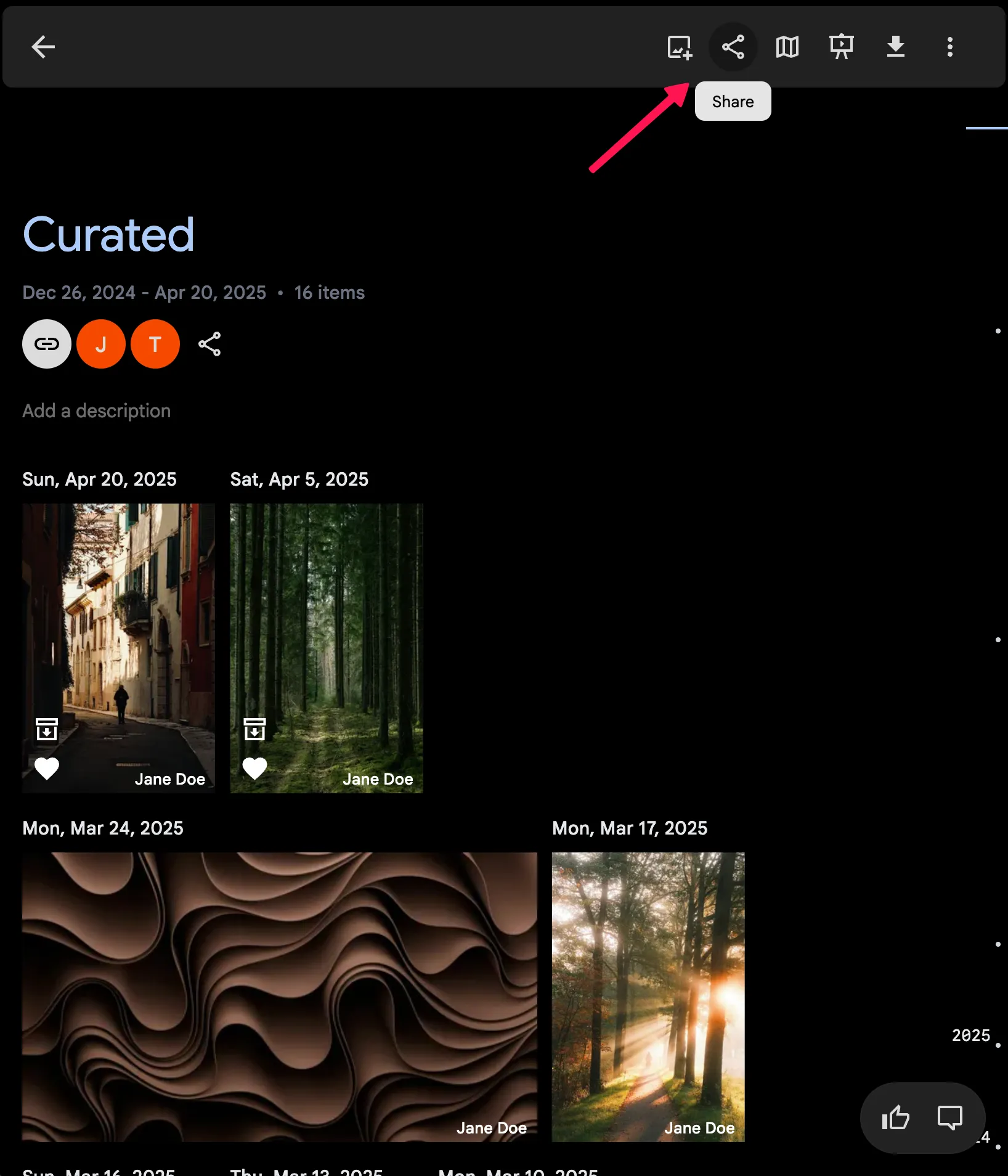
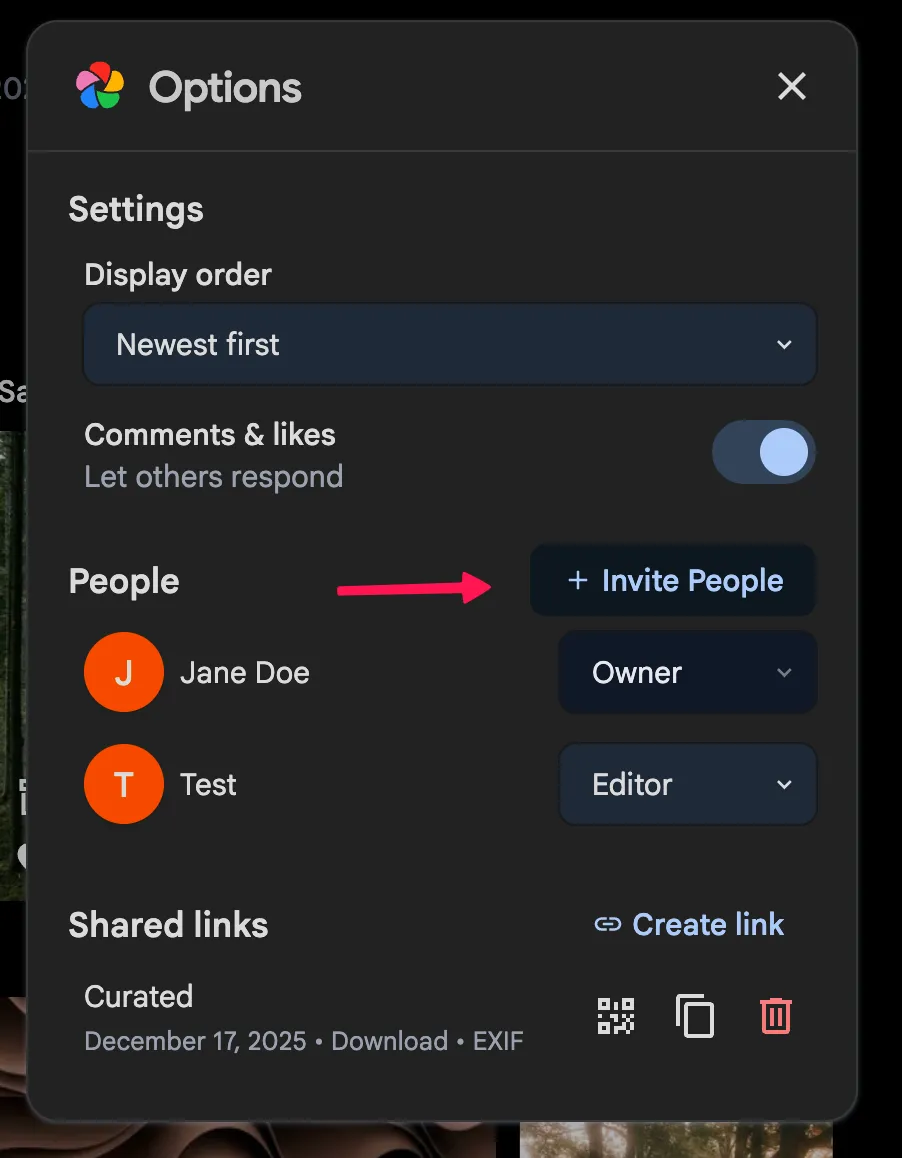
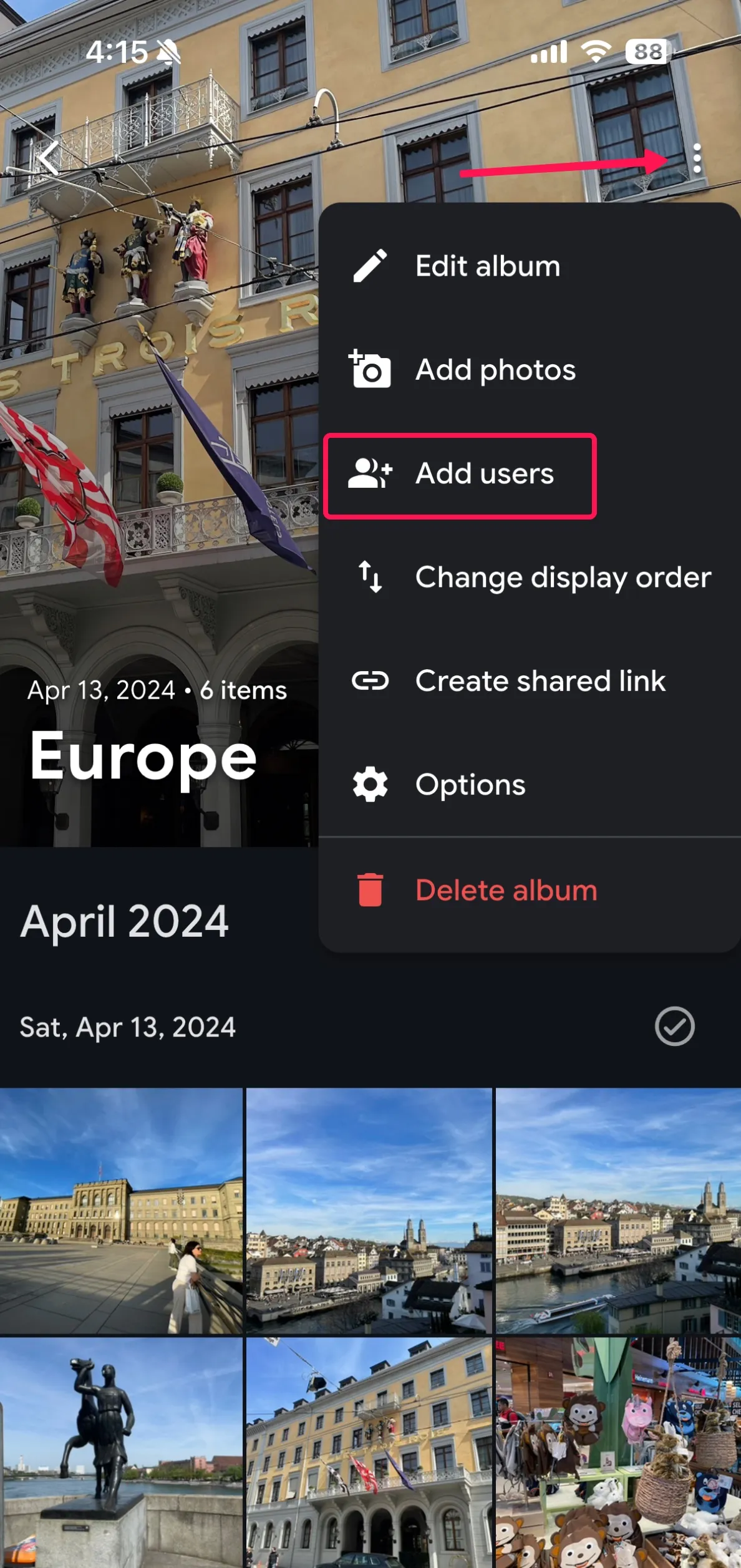
After creating an album, you can access the sharing options by clicking on the share icon. When sharing an album, you can select the users you want to share the album with and assign them permissions either as editors (read-write) or viewers (read-only).
Web
Mobile App
Partners
You can read this guide to learn more about partner sharing.
Public sharing
Creating a public share link
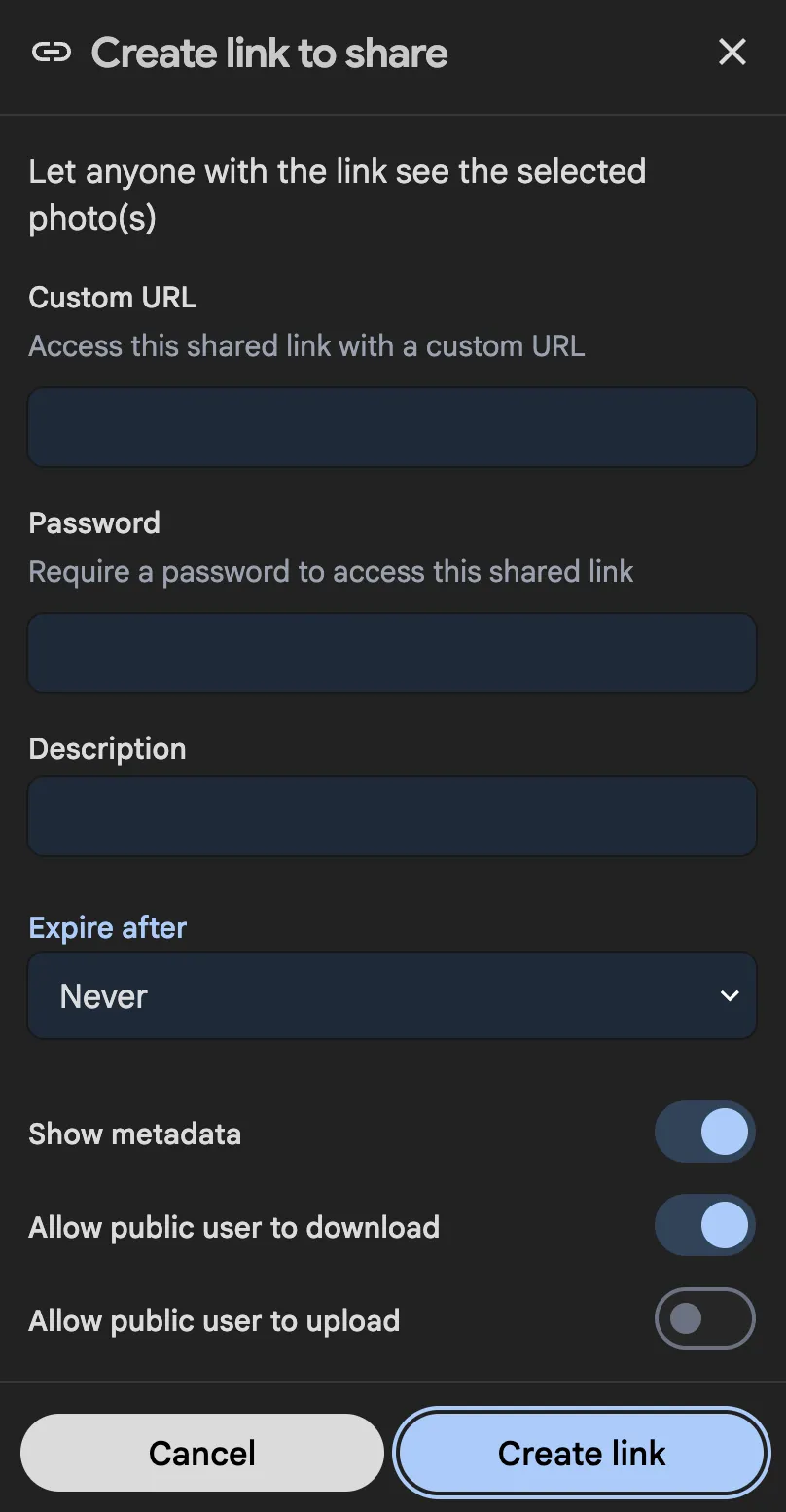
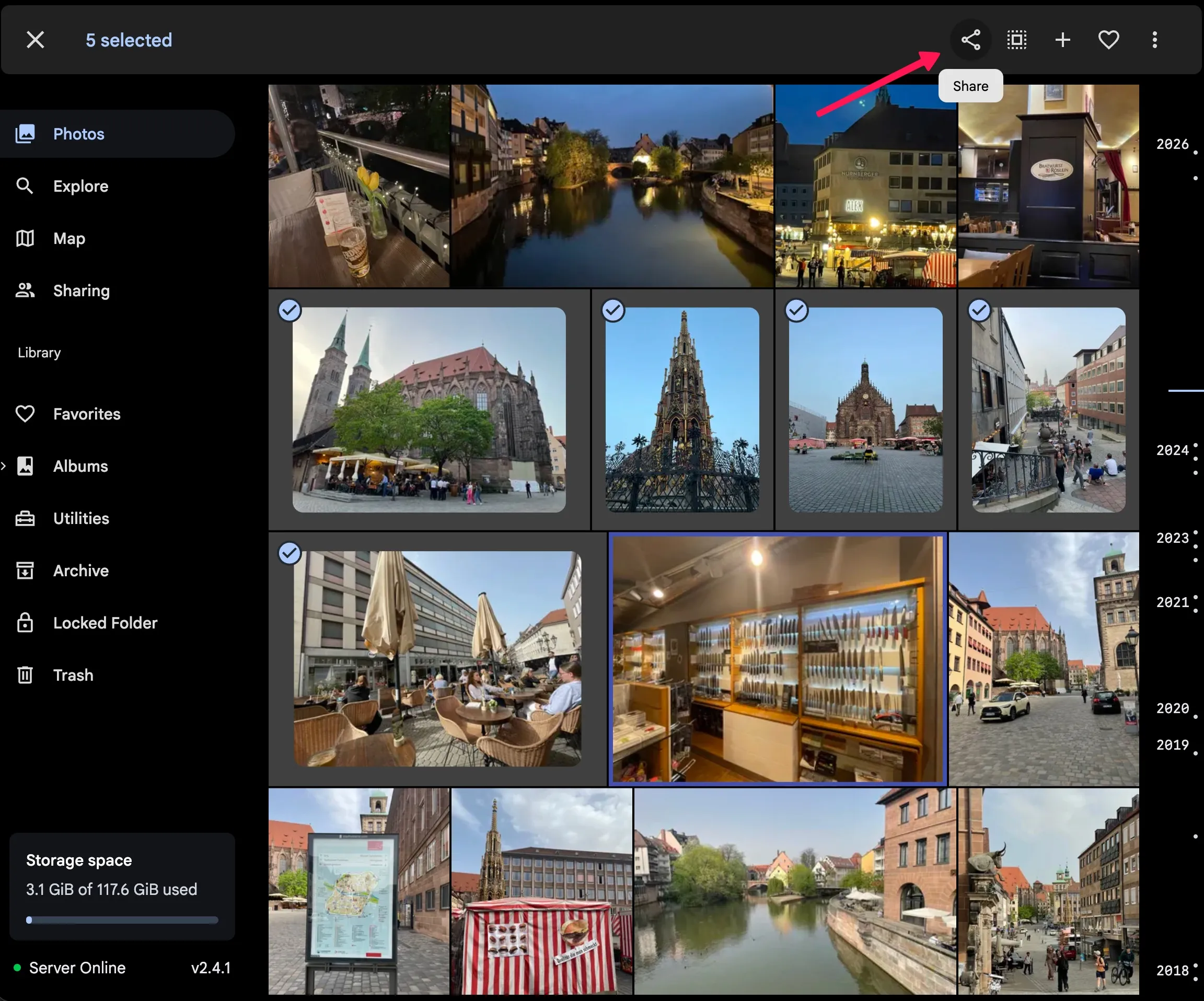
You can create a public share link by selecting the photos or videos, or from the share icon on an album.
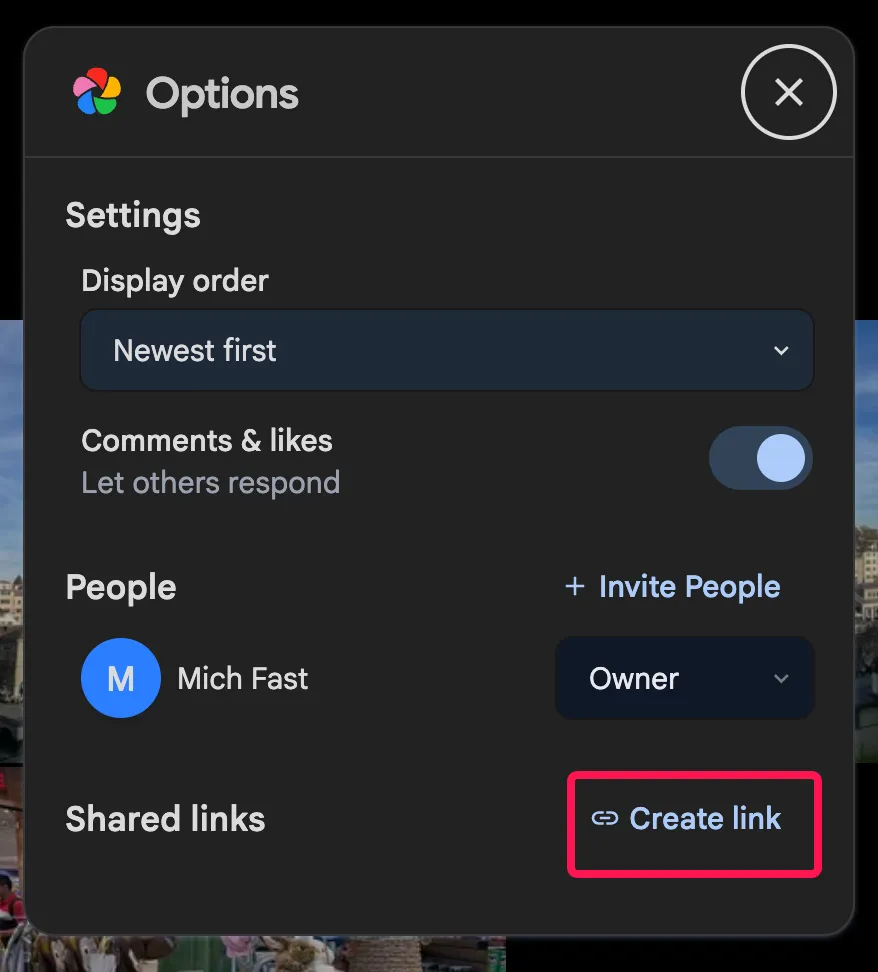
Customizing the public share link
You can customize the public share link by setting an expiration date, password protection, allow what actions can be performed on the shared assets, and more.